Skip to content

Pulse & motion effect

Multiply

Multiply is a beat-reactive motion effect in FRCTL, the browser VJ studio. Offset multiply blend with luma-depth shading; strong on subject selections.

Runs live on video, images, a camera or generated art. Stack it with any other effect, and route LFOs, envelopes or any of ten audio bands to its controls so it moves with the music.

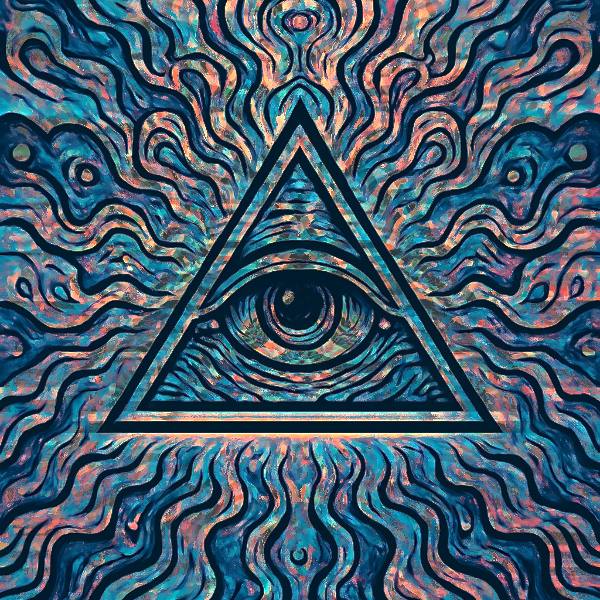
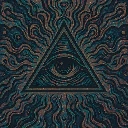
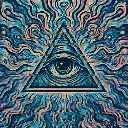
The untouched demo art: an eye inside a triangle over wavy teal, blue and peach lines
Source
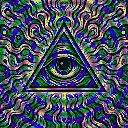
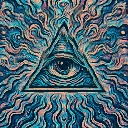
The eye-in-triangle illustration darkened and deepened, blue shading and peach highlights along the wavy lines
Multiply, default settings

What Multiply does

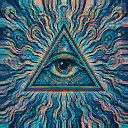
Multiplies two offset copies of the frame into the original, which darkens and deepens it, then tints the leading copy red and the trailing one blue along the edges. Bright areas and the middle of the frame read as near and shade warm, dark areas shade cool. Nothing moves on its own. Spread sets the plate offset, Depth the grade, Rim the fringe and edge glow.

Using Multiply

Where it works
Gives a flat illustration or logo a misregistered-print look with some weight behind it. With a subject selection active the plates spill out past the subject's edge, which lifts a performer or product off the background for cover art.
With the music
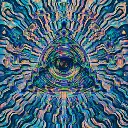
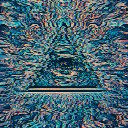
Every bit of movement here comes from routing. B3 (bass body) on Spread pushes the plates apart on each bass note, and a slow LFO on Depth swells and fades the warm and cool grade across a phrase.
Starting point
Spread a quarter, Depth centre, Rim three-quarters, Direction on Right, then raise Spread until the red and blue plates pull clear of the linework.

Controls

Spread
Lateral offset between multiply plates.
Depth
Pseudo-depth shading and cool/warm grade.
Rim
Edge glow and chromatic fringe on offsets.
Direction
Which way the plates are offset.

Pairs well with Multiply